Built it in WealthNav
We now go through what we need to do in WealthNav in order to create and configure these Accounts and Action Lines. Creation of Accounts and Action Lines are Generally covered in the video from the Basic Concepts HowTo available here so, we will instead put more focus on configuring the various Action Lines.
We now go through what we need to do in WealthNav in order to create and configure these Accounts and Action Lines.
From the Final Picture before, we have the following Asset Accounts:
Asset - Unrealized: House (500k)
Asset - Unrealized: Car (30k)
Asset - Unrealized: Stock (10k)
Asset - Realized: Chequing Account
When you create those accounts, its best to name them descriptively as noted above (well not including the “Asset - Unrealized/Realized” part as that is the account type). Now, create the Earn accounts, from the Picture we have:
House Appreciation
Stock Asset Appreciation
Salary Earn
As noted above keep the Earn account names descriptive. We will use names the as we stated above. Next, we look at the Liability accounts:
Mortgage (450k)
Car Loan (30k)
Credit Card (5k)
Line of Credit (25k)
And finally, here is the list of Burn/Expense Accounts that need to be created (based on the Financial Picture we drew up on the previous page):
Car Depreciation
Stock Asset Depreciation
Mortgage Interest
Car Loan Interest
Credit Card Interest
Line of Credit Interest
General Expenses
Now, for a quick recap, here is an example of one of these accounts being created in WealthNav. First we create the Strategy, lets call this one “Current Life”, so we know its the base/current representation of what our financial life looks like:
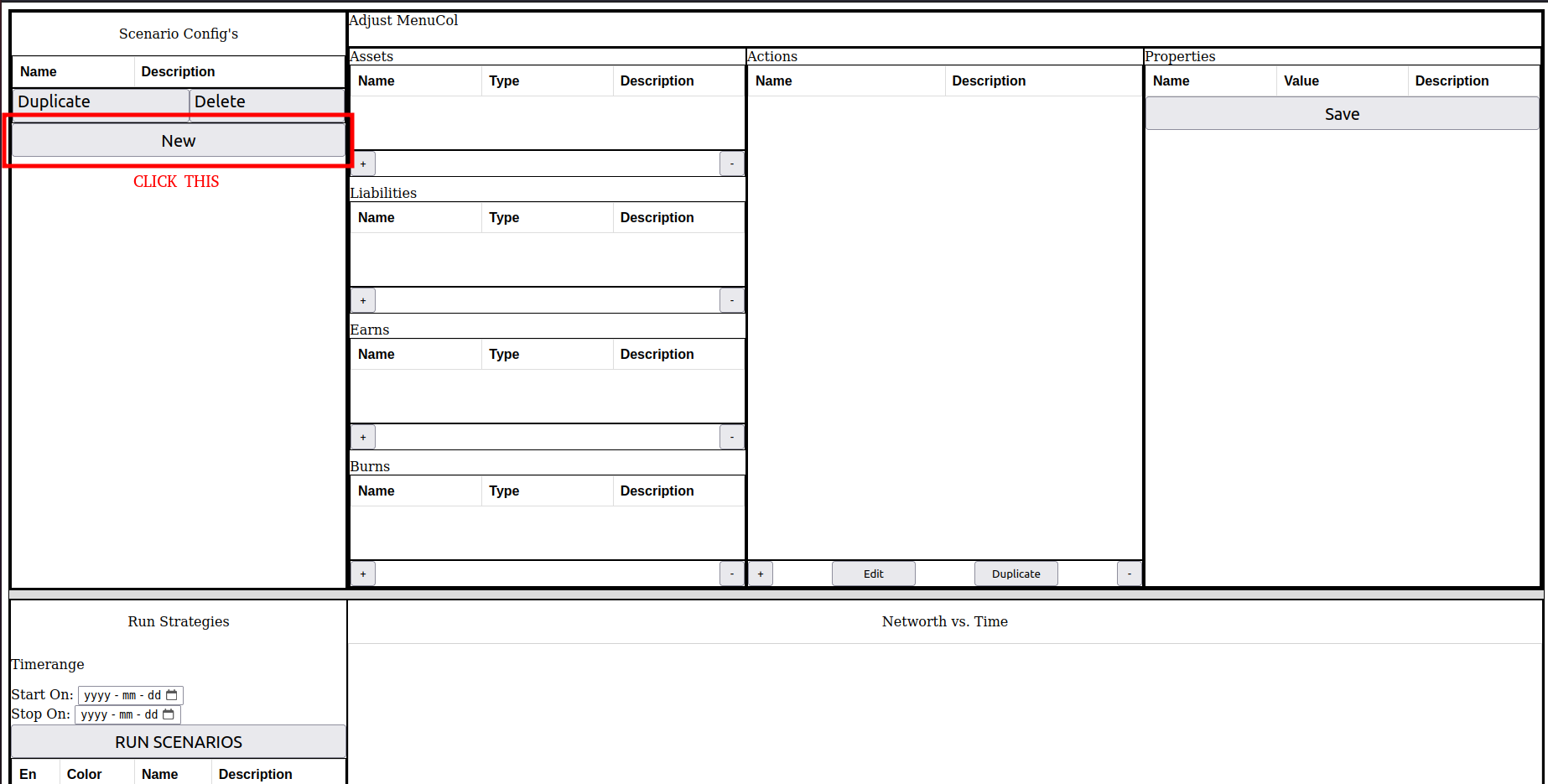
Next, add in the name and click save:
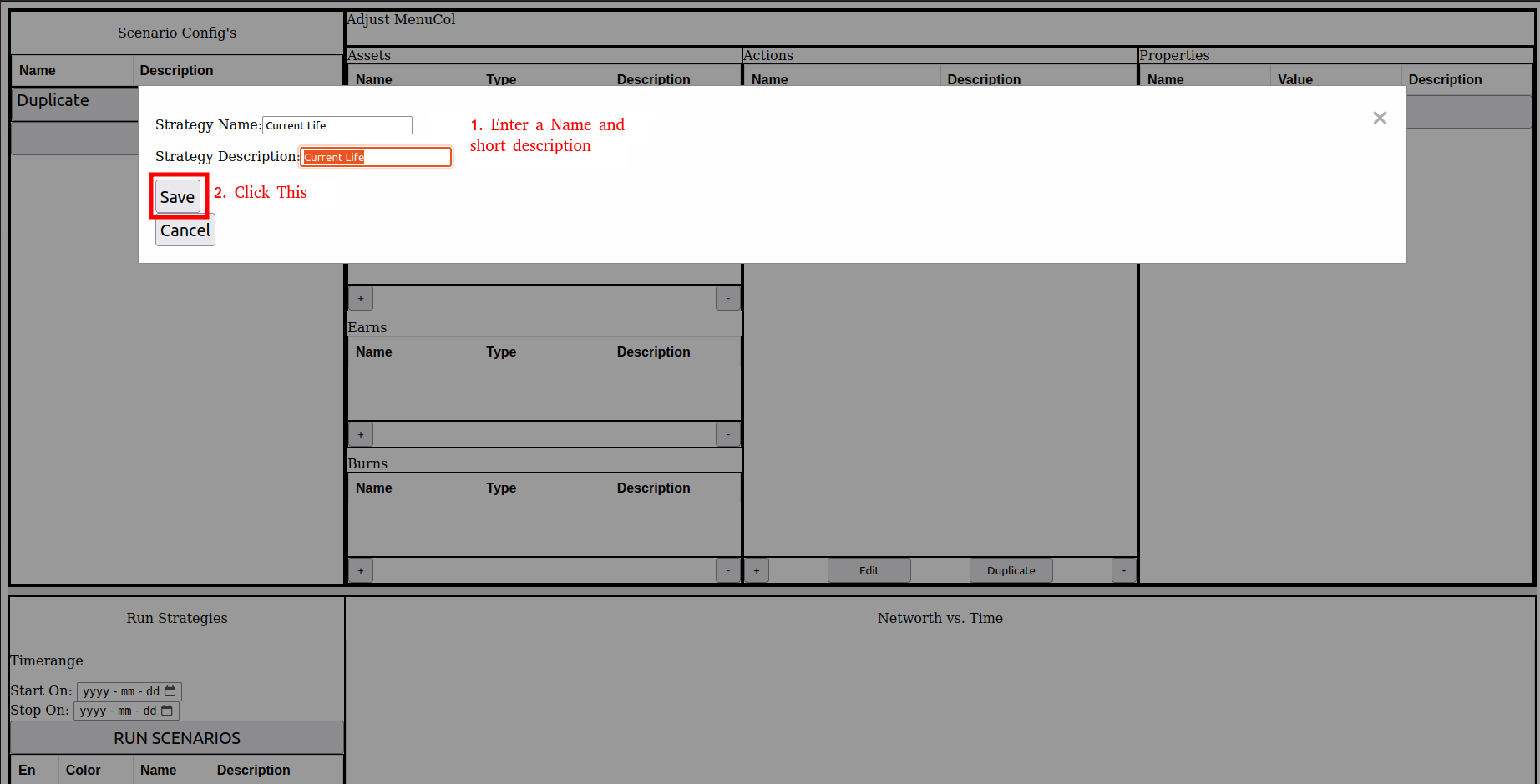
Next, add in the name and click save:
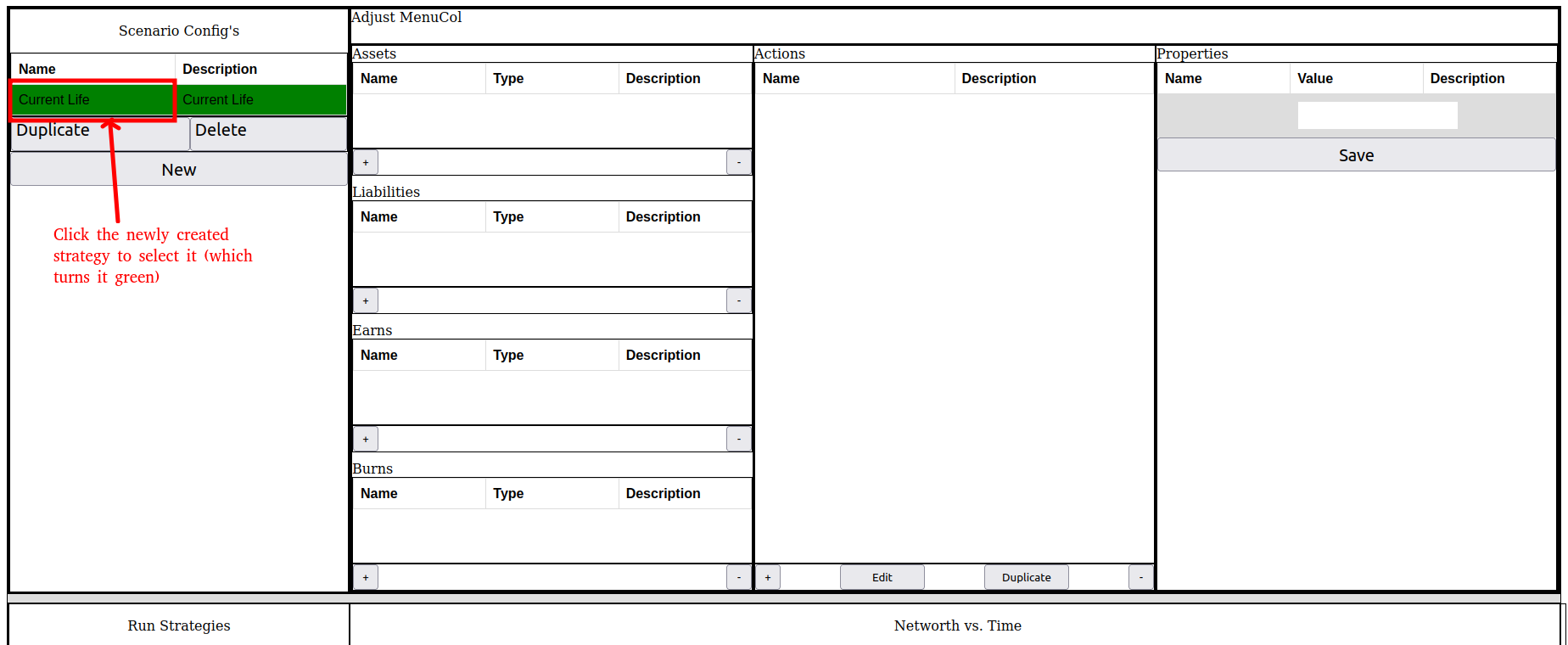
Now, let’s create all the accounts, but we will only show the creation of the Credit Card Liability account in this example (to save Tutorial time). First we press the + sign:
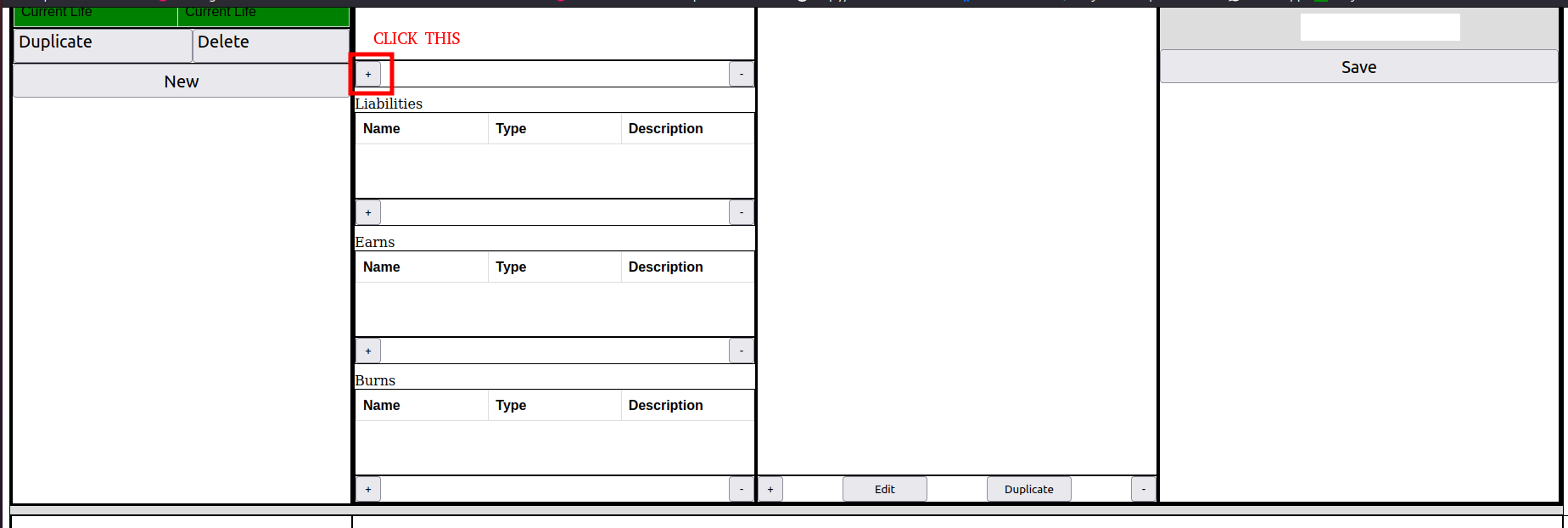
Next, we write in a name, short description, and select the Fixed Loan Liability option:
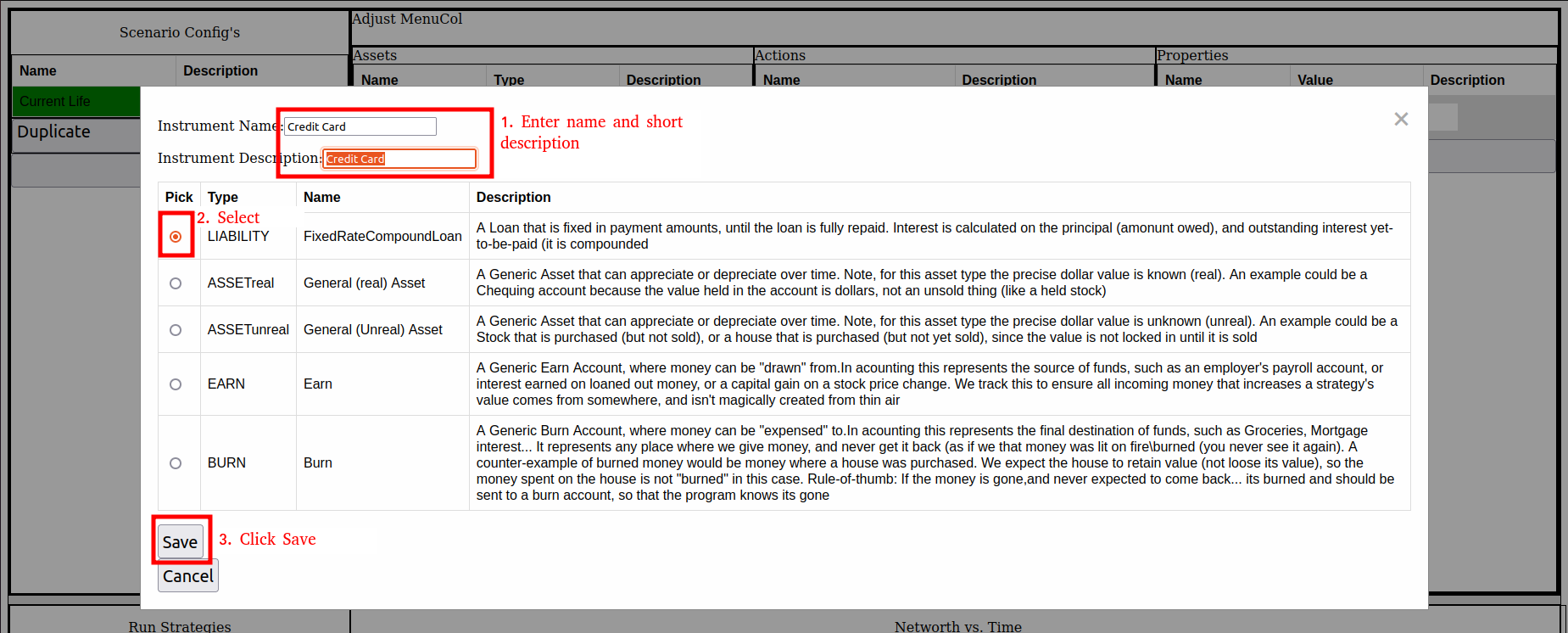
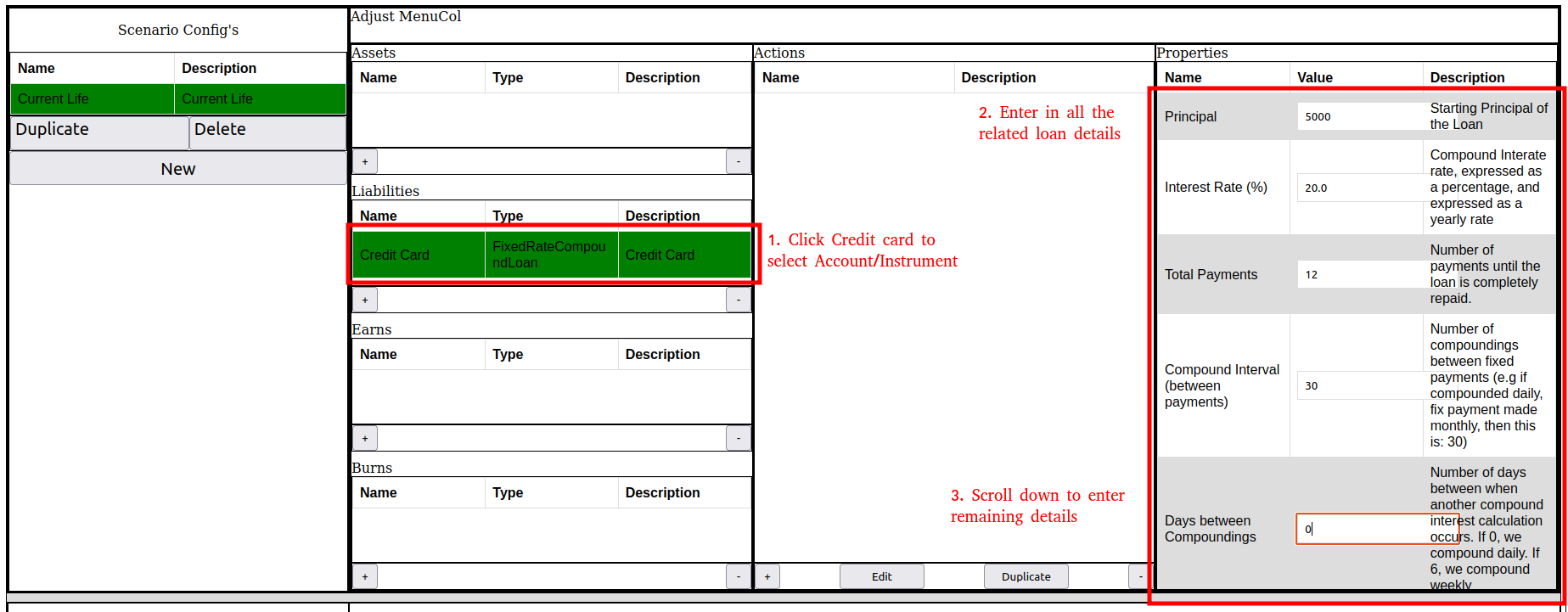
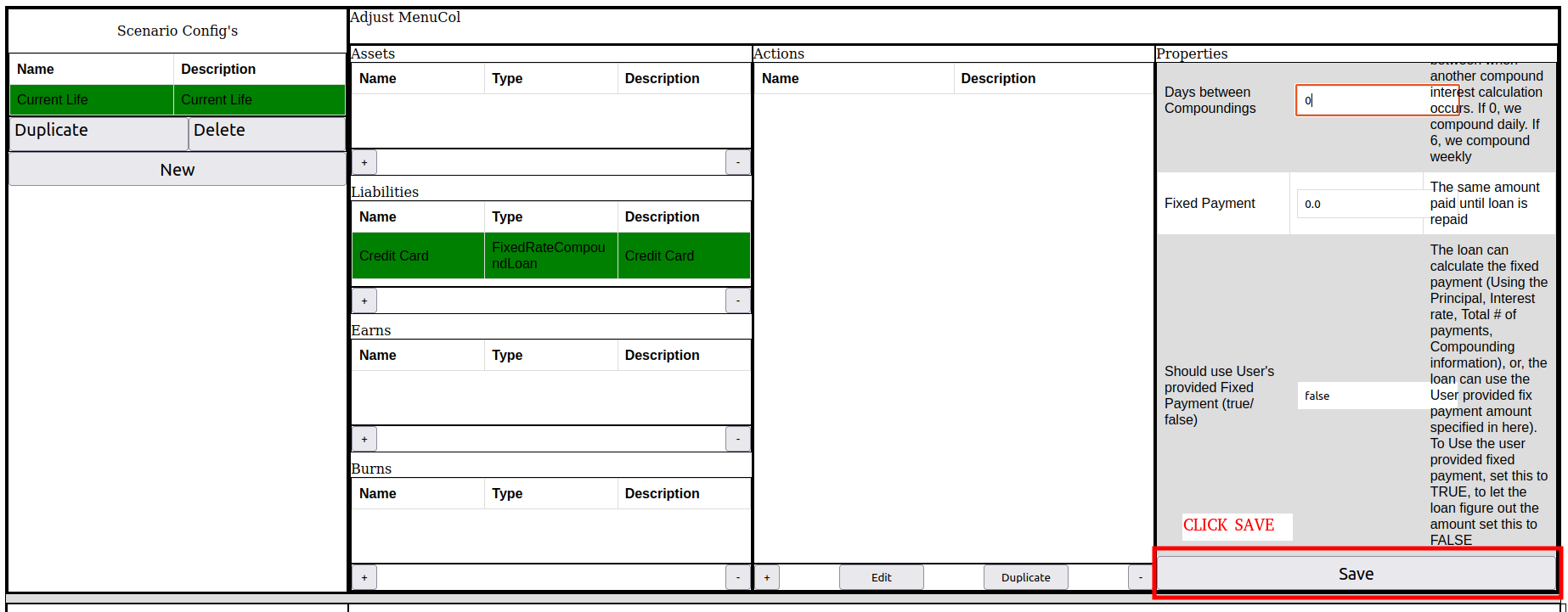
Next, we select the Credit Card, and enter in the related configuration Properties.